
aquilo.gg TikTok Key Generator
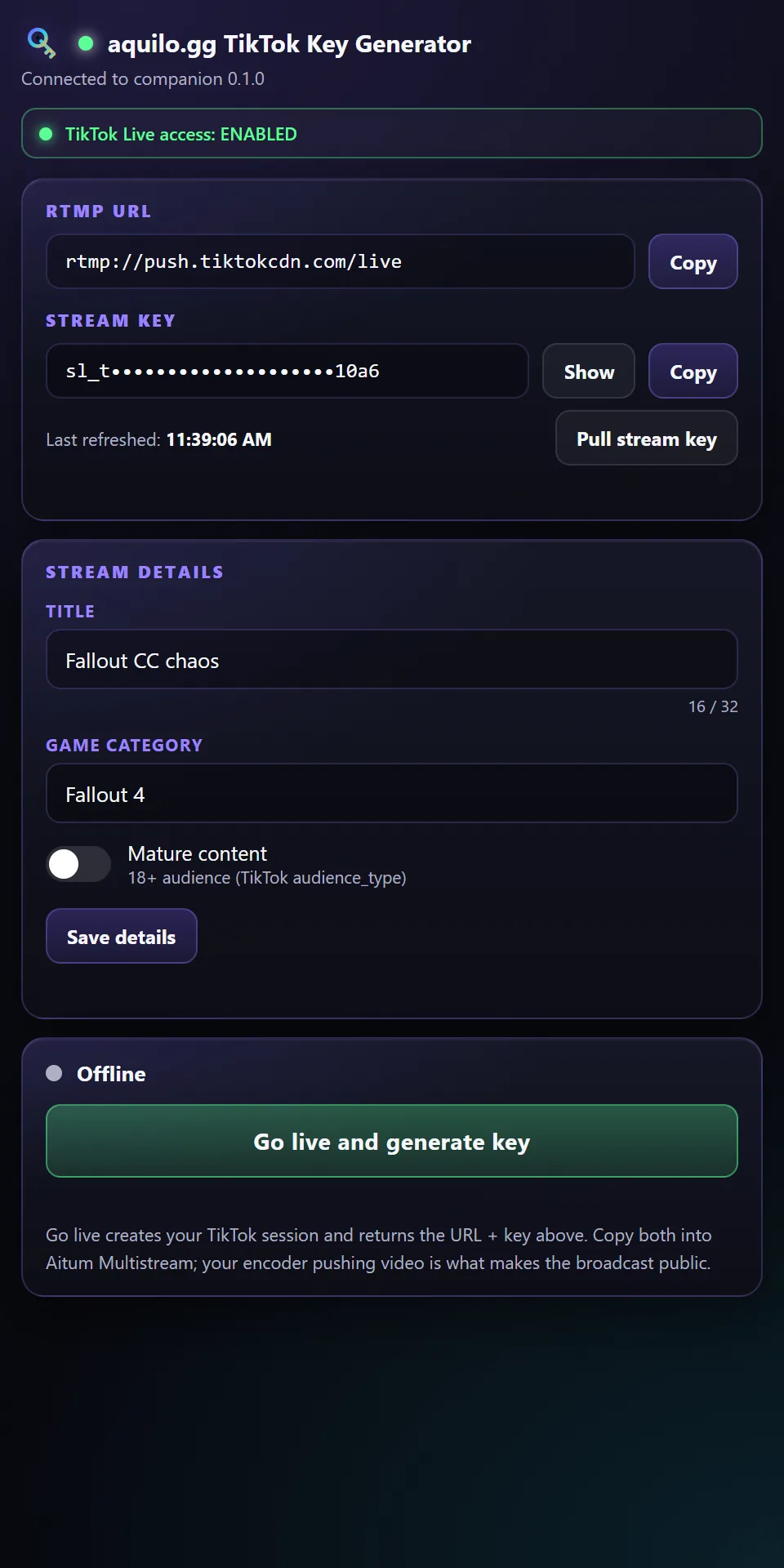
Pull TikTok Live stream keys from Streamlabs and push them to OBS as a custom browser dock. Set your title, category, and mature toggle, go live, and copy the key straight into Aitum Multistream.
How it works
A tiny tray app runs on your PC and reads your Streamlabs TikTok session. The dock is the control surface inside OBS. Nothing leaves your machine; the dock talks to the app on localhost.
- 1
Install the app
Download and run it. It lives in the system tray (no window) and can start with Windows.
- 2
Sign in once
The first go-live opens a browser for a one-time Streamlabs sign-in. The token is cached after that.
- 3
Add the dock in OBS
Docks, Custom Browser Docks, Add, name it "aquilo.gg TikTok Key Generator", paste
https://aquilo.gg/dock/streamkey/. - 4
Go live, copy to Aitum
Set title and category, click Go live, then copy the RTMP URL + key into your Aitum Multistream TikTok destination. The URL stays put; only the key rotates per broadcast.
The Windows warning is expected
First run may show a blue "Windows protected your PC" box (SmartScreen). The app is new and not yet code-signed, it is not a virus. Click More info, then Run anyway. You only do this once per version. Every release ships a SHA256 checksum so you can verify the file with Get-FileHash .\AquiloStreamkey.exe -Algorithm SHA256. Code signing is on the roadmap, which removes the prompt entirely.
TikTok Key Generator is free forever.
No trials, no ads. The core is free for everyone, and tips unlock nothing. If it earned a spot in your scenes, chip in whatever feels right.
Pay what you want