StreamFusion OBS
Twitch, TikTok, YouTube, and Kick chat unified in one OBS dock, with live analytics, mod actions, and a highlights queue. It runs standalone and talks straight to the apps on your PC, no main app needed.
How it works
- 1
Turn on Streamer.bot's WebSocket
Streamer.bot, Servers/Clients, enable the WebSocket Server (default port 8080). That feeds Twitch, YouTube, and Kick chat + events into the dock.
- 2
Run TikFinity
Start TikFinity with its local WebSocket on (port 21213). That feeds TikTok chat, gifts, and follows.
- 3
Add the dock to OBS
Docks, Custom Browser Docks, Add, name it "StreamFusion OBS", paste
https://aquilo.gg/dock/streamfusion-chat/. Set ports in the gear if you changed them. - 4
Stream
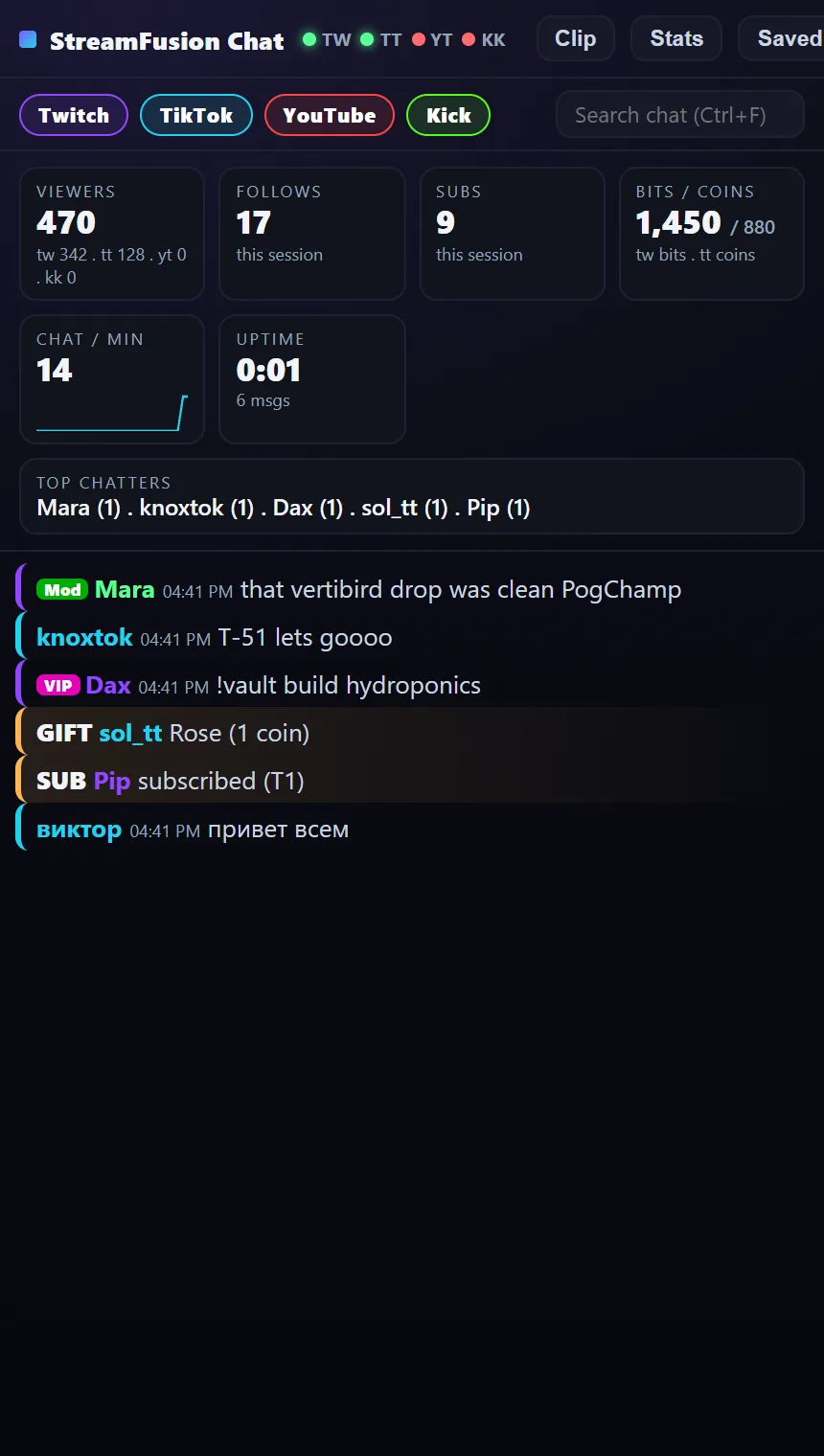
Watch every platform in one feed. Filter chips toggle platforms, Ctrl+F searches, and clicking a message saves it to your highlights for clip selection.
Free
Unified chat with platform colours, badges, 7TV/BTTV emotes, and inline events. Analytics: viewers, follows, subs, bits + coins, chat-per-minute, uptime, top chatters. Filter chips, search, settings, and a highlights queue.
Premium T2+
Auto-translate non-English chat to an English subtitle (Claude Haiku), and custom alert flags that outline messages from specific viewers in your colour. Unlocks at Patreon Tier 2.
StreamFusion OBS is free forever.
No trials, no ads. The core is free for everyone, and tips unlock nothing. If it earned a spot in your scenes, chip in whatever feels right.
Pay what you want